Supports, Brims, and Other Options
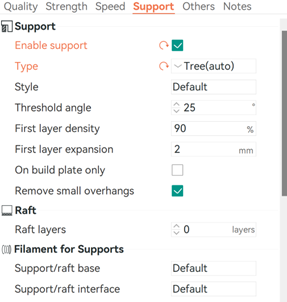
To enable supports, turn ‘Advanced’ settings on. Then, checkmark ‘Enable Support’. You may choose a support type (I recommend Tree for ease of removing and least waste of filament). You may also wish to change the threshold angle. Support will generate for angles below the threshold you have set.
You can also use rafts in this section. Rafts create a foundation for support at the bottom of a model to lift it up. You will almost never need to use this on a Bambu, as it is used most often for unlevel beds.
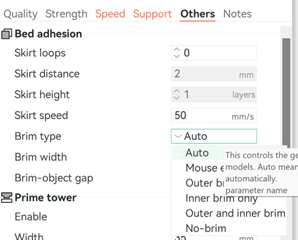
You may also choose to add a filament brim in the ‘others’ section. There will be a dropdown, where you can choose from auto, no-brim, and other options. This will help with layer adhering to the build plate.