
Prusa Intro, Rules, Guidelines, and Safety
This guide contains:
- Installing Prusa Slicer
- Configuring Settings
- Configuring Prints
- Slicing your Plate and Sending it to the SD Card
Introduction
Important Rules
-
- Do not insert brittle/breaking filament into the Prusa printer. You can check if your filament is brittle by seeing if it snaps when you bend it. YOUR PRINT WILL FAIL AND YOU WILL BREAK THE PRINTER IF YOU DO THIS.
- Please make sure to select the correct filament setting (Generic PLA for PLA, PETG for PETG, and so on). If you do not do this, your print will fail, and the printer WILL clog.
- Please watch the first few layers of your print to make sure it adheres before you leave. If it does not, restart the print and adjust the bed plate temperature to a higher level in increments of 5 at a time (this can be done directly on the printer or through the monitor screen in PrusaSlicer). If you have small pieces on your print, you may need to use a brim or other supports to keep your print in place.
- Please make sure to put unused filament back into the correct Ziploc bag (sorted by color and/or filament type).
- The total time of any one print may not extend longer than 3 hours without express permission from one of the tech teachers/team.
- You may only print on one machine at a time.
- You must stay in the makerspace and watch any print you start for 20 minutes minimum in order to watch for and correct any issues that arise.
- No print may run past 4:00pm, which is when all of the machines are powered off for the night (without the permission of the tech department).
- You must come pick up your print by the end of the next day, otherwise unclaimed prints will be recycled.
- You must include your first and last name in the file name of every print so that the tech department can notify you of any issues or clarify rules for you as needed.
- If you download a design that someone else made, you must make some sort of addition or alteration to personalize the design before printing. The best course of action is to design something on your own from scratch using Blender, TinkerCAD, or OpenSCAD.
General Rules of Thumb
3D Printer Parts can get up to 215+ degrees Celsius!
- Do not touch the extruder nozzle or heating element
- Do not touch recently extruded filament
- Wait for the print bed to cool before touching it
- Keep hands away from the printer while it is in use
- Use caution while removing objects from the printer
General Guidelines
The 3D printer's extruder operates at a very high temperature of up to and over 215+ degrees Celsius. The printer also has a heated print bed, which heats up to 60 degrees Celsius. It is very easy to burn yourself on the extruder, so avoid touching it during any process, including loading or removing filament (you should not need to touch the printhead on the Bambu to do so), printing, or cooling. You can see how hot the extruder is on the info screen on the printer:
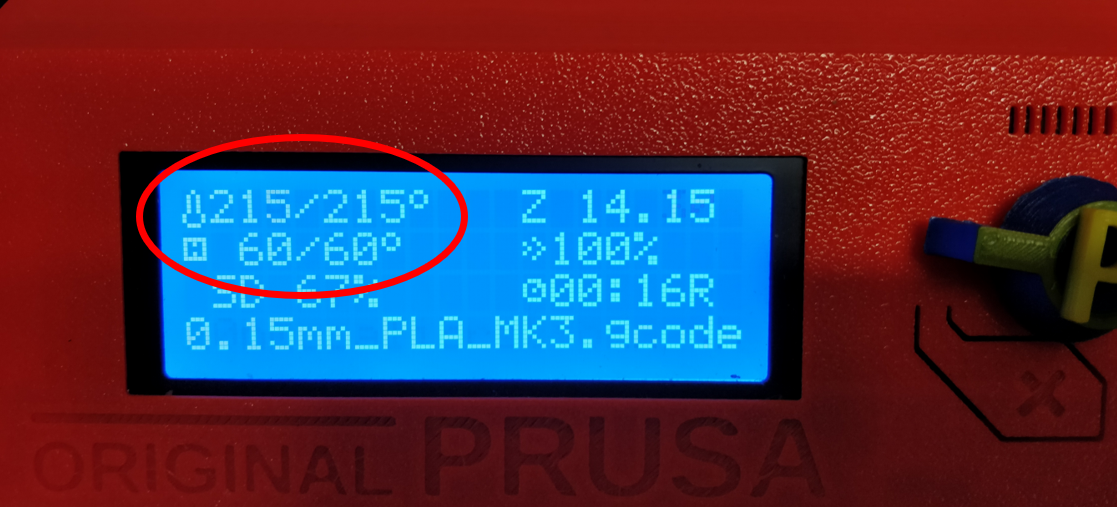
The temperatures visible here are for PLA filament. Other filament types, such as ABS, may require higher temperatures, so while the build plate is safe to touch at 60 degrees, for PLA, it may get much hotter for other types of plastic. These beds have also been known to have overheating issues, so always be careful when touching them.
Printer Information
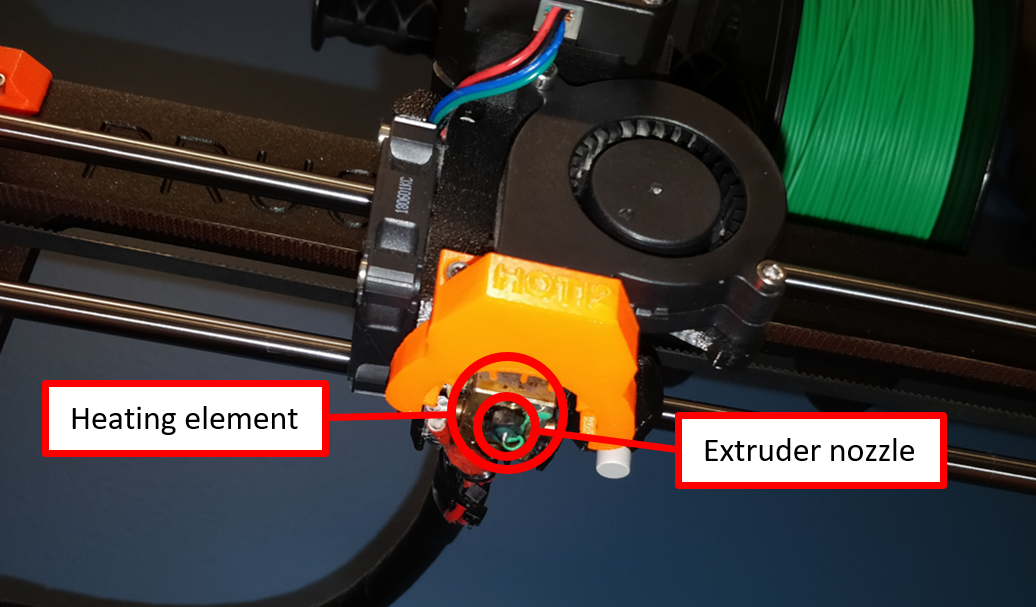
The printer works by using the heating element, which is a block of metal capable to heating to very high temperatures, to melt plastic (filament) to a liquid. The filament is pushed through the heating element by motors visible at the top of the extruder:
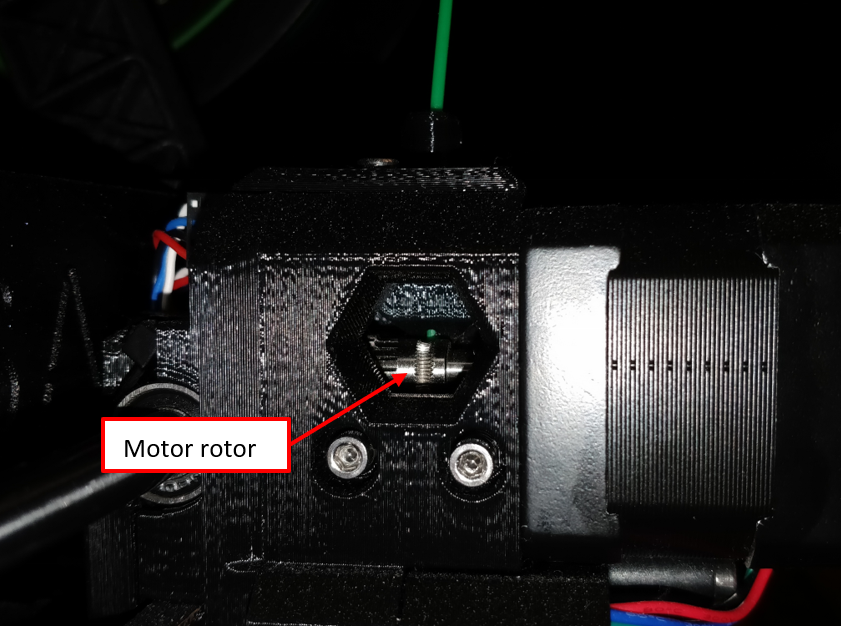
While the filament is solid, it is slowly pushed downwards by the motor and into the heating element, where it melts, and is then pushed out of the extruder. Once extruded, the filament is still hot for a short amount of time. On our printers, there is an orange half-ring mounted to the bottom of a fan that cools recently extruded filament during prints.